Conquer Technology with
IT Support You Can Always Trust

Hi! I'm Marco - I help businesses in the Greater Toronto Area West to improve efficiency, stay secure, and grow with personalized tech they never have to worry about.
Human-first support
Proactive fixes and training to prevent issues
No surprise costs or confusing fine print
Family-owned businesses are my passion and best clients!






A Frustration-Free Way
to Grow Your Business with Tech

Get problems fixed FAST.
Anything from printer meltdowns and glitchy servers, to ransomware attempts and panicked staff members who clicked the wrong link.
My average response rate is 30 minutes, and you’re not bounced between departments or ghosted mid-issue.

Have all your questions answered, always.
Your team will never be made to feel “dumb” for asking, no matter what questions they ask.
You get peace of mind, clarity, and confidence in using tech to achieve your goals.
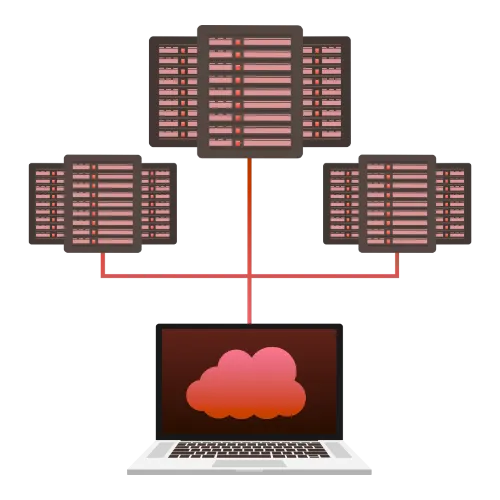
Have your data backed up and tested regularly.
I automatically backup regularly, and manually test to make sure they work when you need them most.
No matter what might happen, I'm making it super easy for you to be up and running the very same day.
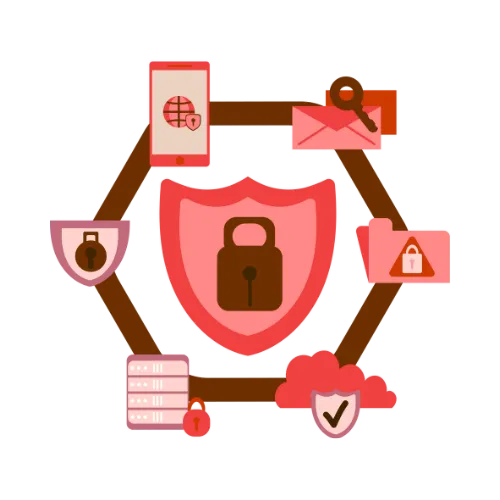
Receive enterprise-grade protection.
Multi-layered protection, real-time monitoring, backup & recovery, phishing defense, endpoint security, training for your team, and more.
I put an “Iron Dome” around your business from day one.
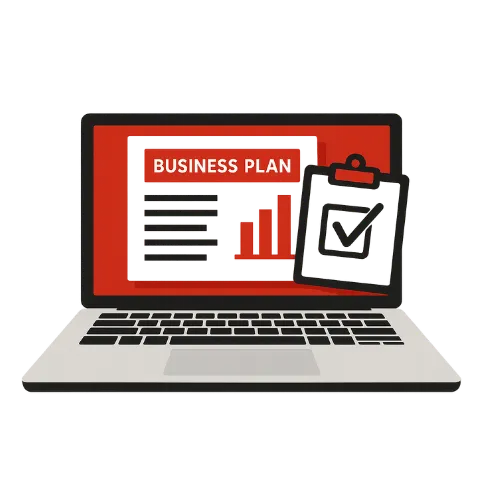
Receive support to plan for the future.
Need to add 5 new staff? Opening a second location? Switching software platforms?
I help you with planning, budgeting, and implementing tech that scales with your growth.
Know what’s happening at all times.
You shouldn’t have to chase down status updates or wonder what’s happening behind the scenes.
I show you what’s been done, what’s in progress, and what’s coming next, so you always know where things stand.
IT TAKES A VILLAGE
Meet My Awesome Team

Marco Hernandez
CEO & Tech Specialist


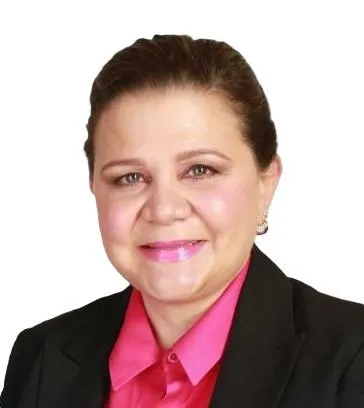
Norys Loreto
Head of Marketing

Emma Hernandez
Public Relations

Nala
Head of Cuteness
WHAT I DO
My Services
I offer end-to-end tech support built around what growing businesses actually need, and not vague SLAs, or confusing technical jargon.
You get an IT professional with 30+ years of experience who has seen stuff... and knows how to handle IT issues when they happen.
Email Management
Done Right
I configure and manage tools like Microsoft 365, Google Workspace (and many others) with secure access, smooth syncing, and reliable support across all your devices.

OnSite or Remote Technical Support & Training
I will come to your business or help you remotely with any technical issue or challenge you might have. I can also train your team on how to make the best out of your tech.

Data Protection & Risk Management
Whether you handle financial, legal, or sensitive client data, I help you meet compliance requirements and reduce risk with the right policies, reporting, and protections in place.
Focused on Small Businesses in the GTA
I live in Oakville and I serve my neighbours - I know how small businesses operate in many industries like auto services, health care, education, sports and professional services.

IT Documentation & Asset Management
I track and document your entire IT environment – devices, licenses, passwords, warranties – so nothing slips through the cracks, and everything stays organized.

Cloud Solutions for
Small Businesses
I do not reinvent the wheel! I can help you leverage the cloud services that you are probably already paying for but have no idea how to implement.

Disaster Recovery Planning
Beyond backups, I create full recovery strategies to ensure your business can keep operating, even if something serious goes wrong.

Patch Management & Software Updates
I monitor, test, and roll out updates on schedule to keep your systems secure and running smoothly, without interrupting your work.
TESTIMONIALS
What My Clients Say About Yours Truly

"A trusted partner"
"After an initial consultation, made some sound suggestions that helped me set up my network, his computer service and hardware upgrades have kept my office running smoothly for over 15 years now."
- Mark Bergasse
Owner | Mark's Auto Service


"A pleasure to deal with"
"Marco did an excellent job of wiring our new chiropractic office. We are primarily paperless so we rely on our network for documentation and note-taking etc. and everything runs smoothly and efficiently."
- Jason Yakimishyn, D.C.

"Highly recommend"
"Marco is the man you call when you have a computer problem or need advice. He is a personality in a world of reclusive techies. He is a gifted businessman who understands treating the client like royalty and competently solving their problems."
- Trevor Stooke
Owner | Agenda Marketing
average msp
“We’ll get back to you.”
Jargon, confusion, blame
Endless back-and-forth
Surprise fees and fine print
Disappearing after onboarding
Treated like a number
Rotating techs
Vague reports
“Fix it when it breaks” approach
No documentation or visibility
Missed handoffs and dropped tickets
Stress around growth and scaling
working with us
Fast and direct support
Clear answers and ownership
Issues resolved, properly explained
Transparent and predictable pricing
Consistent service throughout
Treated like a partner who matters
Personally assigned techs
Easy-to-read specific reports
Proactive support that prevents issues
Everything tracked and logged
Tight processes and full accountability
Step-by-step planning for growth

I Partner with the Best
to Give You the Best
I work directly with trusted names like iDrive, Dell, Microsoft, Lenovo, and others to bring you proven, enterprise-grade technology that fits your business.
These partnerships mean better tools, faster solutions, and direct access to resources that will help your business grow and stay secure. When you work with me, you’re backed by the best in the industry, without the complexity of dealing with them yourself.


Who I Serve
I help small businesses in the GTA West (Oakville, Burlington, Mississauga, Milton and Etobicoke) across many industries, with deep experience in Auto Services, International Sports, Education, Professional Services, Construction, and more.
Most importantly, I work with business owners who:
Understand tech
is an investment.
Care deeply about the work they’re doing.
See their vendors
as partners.
READY TO GIVE US A TRY?
I’ll Make Technology One Less Thing
You Have to Worry About
I’ll Make Technology One Less Thing You Have to Worry About
If you’ve made it this far, you must be at least curious about how working with me might look like.
I’ve helped dozens of businesses improve their output, security, and overall confidence in tech… and I’d be glad to do the same for you.
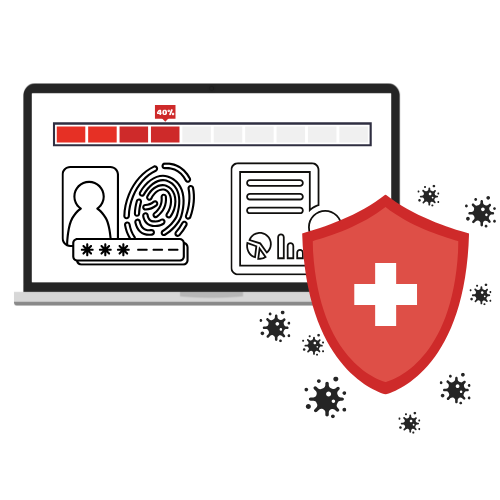
With that in mind, I'm offering a Free Cybersecurity Health Checkup where I’ll look at your current setup, highlight any risks or inefficiencies, and answer your questions honestly.
You will receive an easy-to-read report with any recommendations I might have.
You can choose to implement these yourself, send them to your current IT people, or talk to me about how I could help better secure your business.
Don’t worry, there won’t be any pitch at the end of the call. I just want to help. You’re also free to ask anything, and I’ll give you real transparent answers.
If you’ve made it this far, you must be at least curious about how working with us might look like.
I’ve helped dozens of businesses improve their output, security, and overall confidence in tech… and we’d be glad to help you do the same.
With that in mind, I'm offering a Free 12-Point Cybersecurity Health Checkup where I’ll look at your current setup, highlight any risks or inefficiencies, and answer your questions honestly.
You will receive an easy-to-read report with any recommendations we might have.
You can choose to implement these yourself, send them to your current IT people, or talk to me about how we could help better secure your business.
Don’t worry, there won’t be any pitch at the end of the call. I just want to help. You’re also free to ask anything, and I’ll give you real transparent answers.
WANT TO KNOW MORE?
Contact Me Below


Areas of Service
GTA West: Oakville, Burlington, Milton, Mississauga and Etobicoke

Email Me

Call Me
+1 905-824-1111
Frequently Asked Questions
What if we’re too small to need managed IT?
If your team uses email, stores data, or relies on software to do their job, then you need IT that works. Small businesses are more vulnerable to issues because they have fewer internal resources to handle them. We scale our support to fit your size, and help you stay protected as you grow.
Isn’t managed IT just for big companies?
Not anymore. Modern IT Providers like us are built specifically for small and mid-sized businesses that don’t have an in-house IT department. You get expert support and enterprise-grade tools, without the overhead or complexity.
What if we already have someone “handling IT”?
Many businesses have a tech-savvy employee or external contact they rely on. We can work alongside them or fully take over, depending on what’s best for your business. Either way, you’ll get more structure, faster response times, and deeper expertise.
How is this different from just calling a tech when something breaks?
That’s break-fix support, and it usually ends up being more reactive, expensive, and stressful. We prevent problems before they happen, keep your systems secure and up to date, and provide consistent, ongoing support that grows with your business.
What if we barely have tech issues right now?
That’s great news, and we’ll help keep it that way. The goal isn’t just to fix things when they break, but to prevent issues before they start. We also help improve speed, security, and performance behind the scenes, so your systems stay reliable as your business grows.
Won’t this just add more complexity to our business?
No. This will remove complexity. You’ll have one team to call, one clear process, and full visibility over what’s happening with your systems. No more vendor juggling, DIY troubleshooting, or unclear responsibilities.
We’re not very “techy”. Will this be hard to manage?
Not at all. We handle the technical side, so you don’t have to. We explain everything in plain language, make recommendations that make sense for your business, and keep you updated without overwhelming you with jargon.
Do we need to sign up for everything at once?
No. We can start with what you need most, whether that’s support, security, backups, or a full IT audit, and grow from there. You stay in control of the pace and priorities.
What if our needs change in a few months?
That’s exactly why our support is flexible. We’ll adjust as your business evolves — scaling up, scaling down, or shifting priorities — without locking you into a long-term, one-size-fits-all contract.
Here Because You’re Thinking of Switching from Another IT Provider?
Here Because You’re Thinking
of Switching from Another IT Provider?
Most businesses don’t switch IT providers because of one catastrophic failure. They switch because of a slow, grinding breakdown of trust.
At first, it’s tolerable… a few unanswered calls, a support ticket that drags on, a confusing invoice with extra charges you didn’t expect.
You justify it: “They’re probably just busy.”
You tell yourself it’s manageable. Not ideal, but fine for now.
Eventually, your team is doing workaround after workaround… because the IT provider is too slow or dismissive.
You’re paying for “unlimited” support but feel like every request comes with a hidden fee.
You’re told your systems are safe… until a scare proves otherwise.
And when something goes wrong? It’s never their fault. It’s the vendor, your ISP, your staff.
This is what “good-enough” IT looks like in the real world:
You waste hours chasing responses, or worse, you get ghosted entirely. (Yes, some business owners said their IT provider literally disappeared.)
You’re nickel-and-dimed for every small change, and the invoices don’t make sense. One business owner realized they were still being billed for devices they no longer owned.
You’re sold a dream of proactive care but only hear from your provider when something breaks. There’s no long-term plan, just reaction after reaction.
You’re talked down to when you ask questions, made to feel dumb for not knowing the jargon. Instead of educating you, they intimidate or deflect.
You’re told you’re protected, but when a breach or disaster hits, they’re nowhere to be found.
You’re treated like an account number, not a business partner. Their solutions are cookie-cutter. Their interest in your company? Minimal.
Worst of all, you start lowering your expectations.
Your team stops reporting issues because they know nothing will change.
You accept slow fixes, vague updates, and rotating techs who don’t know your setup because you assume that’s just “how IT is.”
If that’s where you are right now, and you want to see how reliable IT support looks like…
I Can Help You Make The Switch
(Without Headaches)
I Can Help You Make The Switch (Without Headaches)
I’ve guided dozens of businesses through this exact transition.
Messy setups, uncooperative providers, missing documentation... I’ve seen it all, and I know how to clean it up without causing you headaches.
I start with a full technology audit so you know what’s working, what’s at risk, and what needs attention.
Once that’s done, I handle the handover from your current provider.
That includes securing credentials, collecting documentation, and managing the awkward conversations you don’t want to have.
I then create a step-by-step transition plan, mapped around your business hours, staff needs, and ongoing projects. If something needs to change, I’ll explain why, and how we’ll do it without downtime.
Your team gets onboarded clearly and respectfully.
I walk them through what’s new, answer every question, and make sure no one feels lost, rushed, or “too dumb to ask.”
You get updates at every stage. You always know what’s happening, what’s next, and who’s handling it.
And once the switch is done, I check in, tighten the gaps, and make sure everything is running smoothly.
If that sounds like something you want to explore, schedule a call with me below.
Email Me
hello@tekitup.ca
Call Me
+1 905-824-1111
© 2025 | All Rights Reserved.
© 2025
All Rights Reserved.